
Tattoos AI
Describe a motif, style, and body placement to get tattoo concepts and stencil-ready references.
tattoosai.com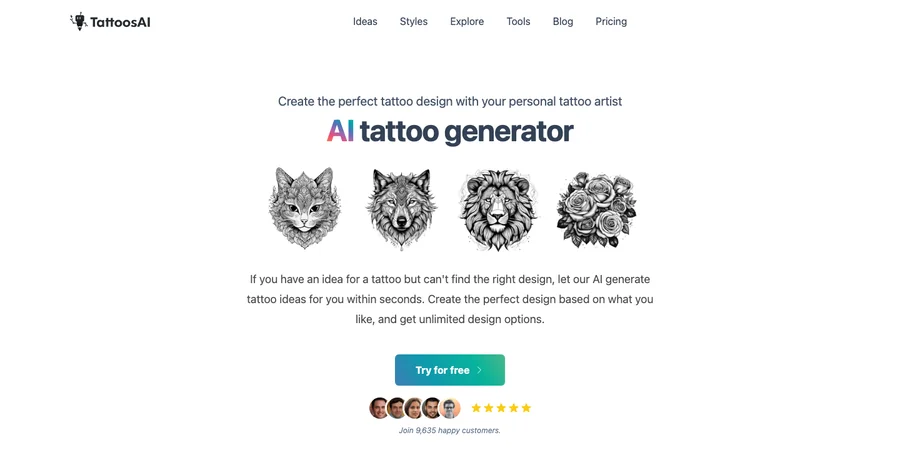
Common uses
Workflow overview
- Workflow stage
- Tattoo concept exploration
- Best suited for
- Clients and tattoo artists brainstorming composition, placement, and blackwork/fine-line styles.
- Practical tip
- Bring generated references to a licensed tattoo artist to adapt line weight and flow to body contours.
FOR MAKERS & TEAMS
Building Tattoos AI? Share your listing badge
Tattoos AI is hand-picked in Tool Dock’s specialist AI index (no generic chatbots or waitlists). Drop this lightweight SVG badge on your site or press page.

Frequently asked questions
What is Tattoos AI best used for?
Tattoos AI (tattoosai.com) is a specialist craft & 3d tool focused on tattoo concepts, stencil references, placement previews. Describe a motif, style, and body placement to get tattoo concepts and stencil-ready references.
Who should use Tattoos AI and at what workflow stage?
Tattoos AI fits the "Tattoo concept exploration" stage and is best suited for clients and tattoo artists brainstorming composition, placement, and blackwork/fine-line styles. Practical tip: Bring generated references to a licensed tattoo artist to adapt line weight and flow to body contours.
What are good alternatives to Tattoos AI?
Related specialist tools in Craft & 3D include Khroma, PixelLab, Meshy. You can also view our side-by-side Tattoos AI alternatives guide on Tool Dock.